Prepare the bid.
Evaluate the bids.
Bid Manager prepares the bid you submit. Bid Evaluator evaluates every bid a tender receives. A person makes every decision.
Powered byAINexLayer


One tender. Two kinds of work.
One company prepares the bid. Another team evaluates every bid that comes in. Both sides lose days to paperwork.
One company
Prepares the bid
Pre-bid queries, corrigenda, eligibility, go / no-go, forms, OEM sheets and the checklist. About five days of work for one tender.
Meet Bid ManagerAnother team
Evaluates every bid that comes in
Every bidder's files, scanned pages included, against every condition in the tender. About five days of work for one tender.
Meet Bid Evaluator
Chapter 01
Bid Manager
for the bidderIt works for the company that is bidding: from pre-bid queries to the bid pack.
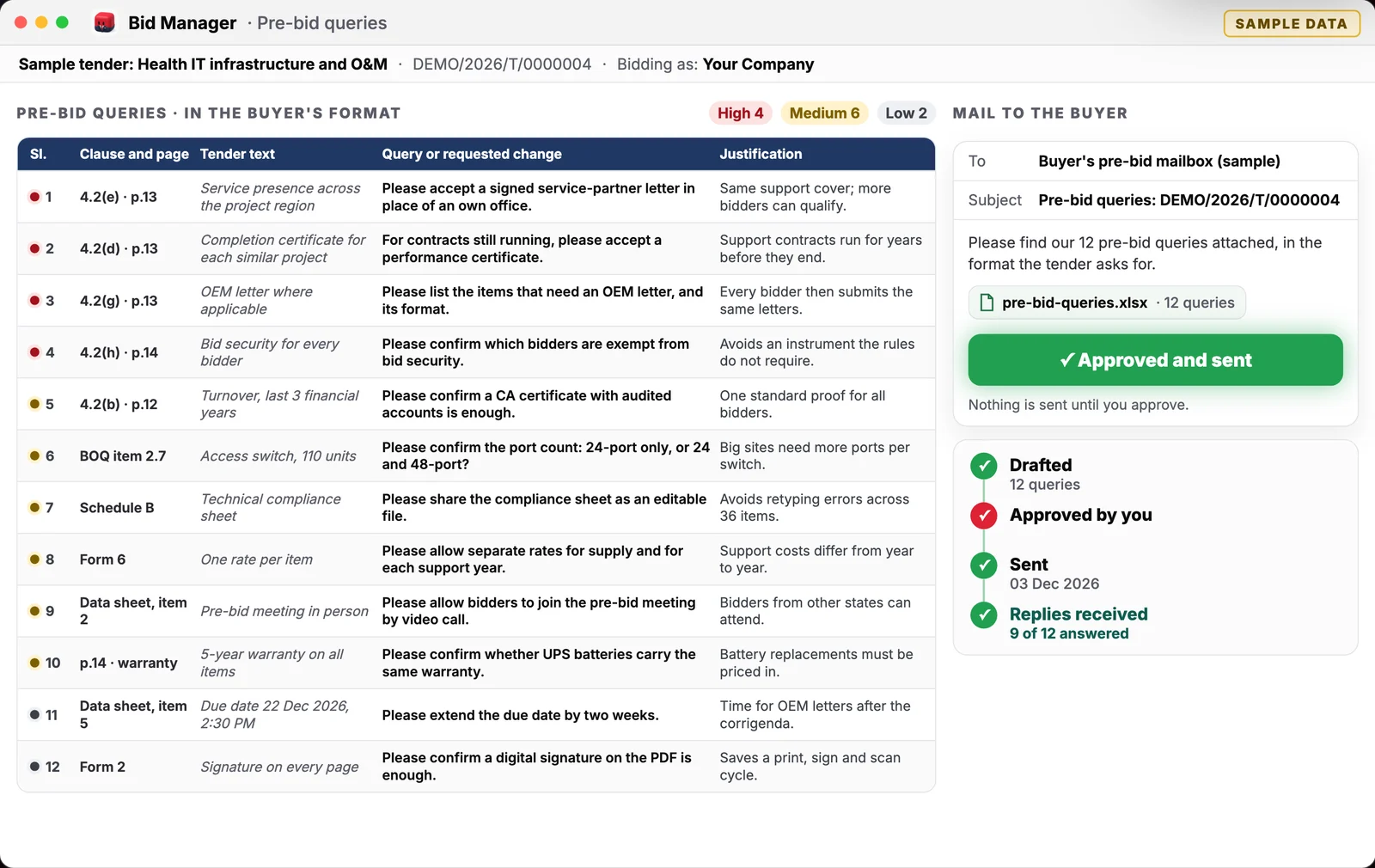
Internal use, totals only.
The other side of the coin

Chapter 02
Bid Evaluator
for the evaluation teamIt works for the team that receives the bids, and evaluates every bid that was submitted.
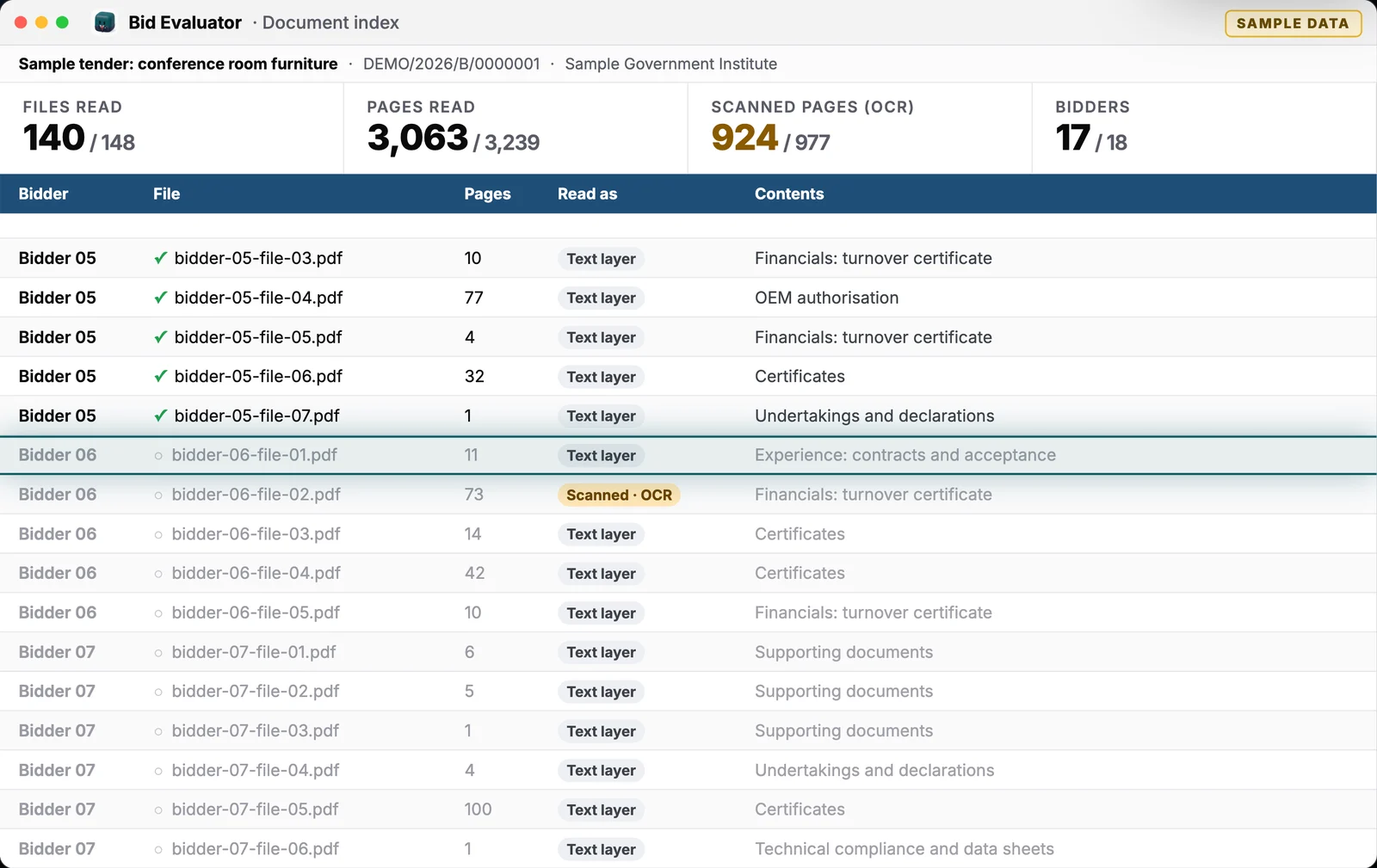
Internal use, totals only.
Before the bid: finding it


Chapter 03
Coming soonTender Manager
It finds tenders for you: the ones that really fit your company, from the GeM portal and other government portals. You see only what is worth bidding for, and Bid Manager starts on the ones you choose.
Watches the portals
GeM and other government portals: CPPP and the state e-procurement sites.
Keeps only what fits
Every new or changed tender is checked against what your company sells, its eligibility and the regions you serve.
Says why it fits
Each match comes with its reasons, the due dates and the documents, ready to read.
Hands it to Bid Manager
You choose the tenders to pursue; Bid Manager starts preparing those bids.
Want it early? Tell us which portals you watch.
AIAgentLayer is the backbone that does the work.
AIBidLayer is where your team uploads, follows the work, decides and downloads. Behind the scenes, AIAgentLayer processes every job: a team of AI agents that works like a team of people, with a lead who hands each tender to the right specialist and brings back one answer.
 AIAgentLayer · the backbone that processes every job

A team of agents, organised like yours.
Buddy hands each job to a lead. Tender Manager finds the tenders, Bid Manager prepares the bids you choose, Bid Evaluator evaluates the bids you receive, and every decision comes back to a person.

Buddy
AIAgentLayer's lead · routes every job
Tender ManagerComing soon
Finds tenders that fit your company
Watches GeM and other government portals, keeps only the tenders that really fit your company, and says why each one fits.
The tenders you choose go to Bid Manager, which starts on them.
Bid Manager
Prepares the bid you submit
3 agents in the team
- Document ManagerTender pack, scans, and forms on your letterhead
- Legal SpecialistContract risk and pre-bid query wording
- Research AnalystThe buyer, past awards and competitors
Bid Evaluator
Evaluates every bid you receive
1 agent in the team
- Data AnalystEvaluation matrix and price comparison
Nothing is sent, decided or signed without a person.
- 1
You upload and submit
AIBidLayer keeps the tender and every bidder file, each with its checksum, in your organisation's private storage.
- 2
The job goes to your AIAgentLayer
A signed job message is handed to your organisation's own AIAgentLayer over a private queue. It carries references, never your files.
- 3
The agents do the work
Buddy, AIAgentLayer's lead agent, hands the tender to Bid Manager or Bid Evaluator. They read every page, scans included, check every condition and draft every document.
- 4
You watch, and you decide
Every real step appears live in AIBidLayer. When a decision is needed (send the queries, go or no-go, sign off) the agent stops and asks you.
- 5
A verified package comes back
The outputs return as one package. AIBidLayer checks every checksum before it shows the job as done.
Your own instance
One AIAgentLayer per organisation. Your tenders never share an agent with anyone else's.
Self-hosted models by default
The models run where your organisation decides.
Signed, step by step
Every progress report is signed and stored, so nothing is lost if you close the tab.
It asks first
Mails, decisions and sign-offs wait for a person.
AIAgentLayer is also a free desktop app for your own AI team: app.ainexlayer.com
File and page on every answer. A person decides.
Every condition checked
Every clause and corrigendum; every bidder's files, scanned pages too.
File and page on every answer
Every verdict points to its file and page, or says 'Not found'.
Nothing invented
What it could not confirm is listed, never guessed.
A person decides
The bid, the price and every verdict stay yours.
Government e-Marketplace: ₹5 lakh crore of orders in FY 2025-26. 11 lakh+ small enterprises registered. Source: PIB, Apr 2026.
Both sides of the tender, in two minutes.
Bid Manager from pre-bid queries to the bid pack, then Bid Evaluator from the first file to the sign-off. All screens show sample data.
Asked before every demo.
Does AIBidLayer decide who qualifies?
No. The agents recommend and show their evidence: file and page for every verdict. A person on your team makes every decision and signs off. Nobody is qualified or rejected before that.
Which tenders does it work with?
Government and PSU tenders, including GeM. You upload the tender documents, corrigenda and bidder files you already have: PDFs (scanned pages included), Word, Excel and ZIP files.
How fast is it?
In our internal use, preparing all the bid documents for one tender took about five days by hand and takes about thirty minutes with Bid Manager. Evaluating all the bids for one tender went from about five days to about thirty minutes with Bid Evaluator.
Where does the AI run?
In AIAgentLayer, the backbone that processes every job: one instance per organisation, with self-hosted models by default. AIBidLayer, powered by AINexLayer, is the workspace where you upload, follow the work, decide and download; it runs no AI itself.
Who creates the accounts?
Your organisation's admin. There is no self sign-up: the platform's super admin creates your organisation and its admin; the admin adds each person, gives them a role (Bid Manager, Bid Reviewer, Bid Evaluator and so on) and hands over a one-time password that the person changes at first sign-in. No organisation can see another's data.
Can I see it on one of my own tenders?
Yes. Book a demo and we will run Bid Manager or Bid Evaluator on a tender of yours.
Two sides of the tender, one team.
See Bid Manager and Bid Evaluator on one of your own tenders.
Or write to contact@ainexlayer.com